· IPTV Anbieter Team · Guide · 25 min read
German TV Abroad 2026: IPTV, Satellite & EU Portability
German TV abroad in 2026: EU portability, Mediathek, satellite, or IPTV compared — 3-day free trial, subscription from €15/month.

How do you watch German TV abroad — legally and without tinkering? There are exactly four routes: the Mediathek catch-up services of ARD and ZDF, a VPN back to Germany, satellite reception via Astra 19.2° East, or an IPTV subscription that was never tied to a German IP address in the first place. Inside the EU, Portability Regulation (EU) 2017/1128 additionally guarantees that paid services keep running during a temporary stay. Outside the EU that rule does not apply — there, the practical answer is a service with no geo-restriction, such as the all-in-one IPTV package from IPTV Anbieter from €15/month.
This is exactly where two very different situations get confused online. The vacationer in Mallorca and the German expat in Dubai are after the same thing — the Tagesschau news, the Bundesliga top match, the Sunday-night Tatort — but they stand in completely different legal and technical positions. If you miss that difference you buy the wrong solution: a VPN that does not help, or a satellite dish that stays silent 6,000 kilometers south of the coverage footprint.
This guide sorts it out. You will learn what EU portability really guarantees and where its limit runs, why the ARD and ZDF Mediathek regularly disappoint abroad, how Mediathek, VPN, satellite, and IPTV differ in cost, availability, and effort — and what you should handle before departure so nothing is left to solve at your destination. If you have never used IPTV, test it with the 3-day free trial on your home connection before the suitcase closes. For the technical foundation, our big IPTV Germany Guide 2026 is worth reading first.
Quick Summary / TL;DR
- EU portability covers paid services only, and only temporarily: Regulation (EU) 2017/1128 obliges providers of paid online content services to let subscribers access them during a limited stay in another EU member state at no extra charge — vacation, business trip, study semester. A permanent move is not covered.
- The Mediathek services are free but patchy: the live streams of Das Erste and ZDF usually keep running abroad, the archive does not. Licensed series, feature movies, and sports rights are blocked for rights reasons even inside the EU.
- A VPN creates no rights: it only shifts your IP address, is detected by many services, and costs noticeable bandwidth. As a permanent solution it is the least reliable of the four options.
- Satellite over Astra 19.2° East delivers the best picture — free and without any internet connection, but only inside the coverage footprint (roughly Europe and North Africa) and only with a fixed dish.
- IPTV travels with you: one login for the Fire TV Stick, tablet, laptop, and phone, from €15/month, €35/3 months, €45/6 months, or €65/year — it works inside and outside the EU as long as at least 10 Mbit/s arrives for Full HD.
Try IPTV Anbieter before paying anything.
Table of Contents
- German Television Abroad: The Starting Point
- EU Portability: What the Regulation Actually Guarantees
- Why the ARD and ZDF Mediathek Have Gaps Abroad
- The Four Routes Compared: Mediathek, VPN, Satellite, IPTV
- Inside and Outside the EU: The Decisive Difference
- Setting Up IPTV Abroad: The Travel Checklist
- Bandwidth and Technology on the Road
- Troubleshooting: Geoblocking, Buffering, and Time Zones
- Pros and Cons of IPTV Abroad
- Frequently Asked Questions about German TV Abroad
- Conclusion: German Television Abroad in 2026
German Television Abroad: The Starting Point
Leaving Germany does not remove your interest in German television — it removes your convenient access to it. Four very different groups are affected: expats with a permanent residence outside the country, cross-border commuters between home and workplace, vacationers gone for two or three weeks, and motorhome travelers who are permanently on the move. Each needs a different answer.
Expats are the hardest case — and the one surrounded by the most nonsense online. Anyone permanently living in Zurich, Vienna, Palma, or Bangkok has relocated their residence. EU portability therefore no longer applies, because it is explicitly tied to the member state of residence. For this group only one thing counts: a service that never had a geographic restriction to begin with.
Cross-border commuters — the people traveling between Aachen and Maastricht, Freiburg and Basel, Passau and Linz — live in an everyday gray zone: residence on one side, workplace on the other, often two mobile networks in a single day. For them, practicality matters more than the legal framework: one solution that runs on the office laptop exactly as it does on the television at home, without two subscriptions.
Vacationers are the easy case. Two weeks in Crete, a paid subscription, a tablet in the carry-on — EU portability applies cleanly here, and even the Mediathek services deliver at least the live streams. The typical mistake: sorting it out only after arrival, when the hotel Wi-Fi is struggling and the destination country’s app store does not even carry the app you want.
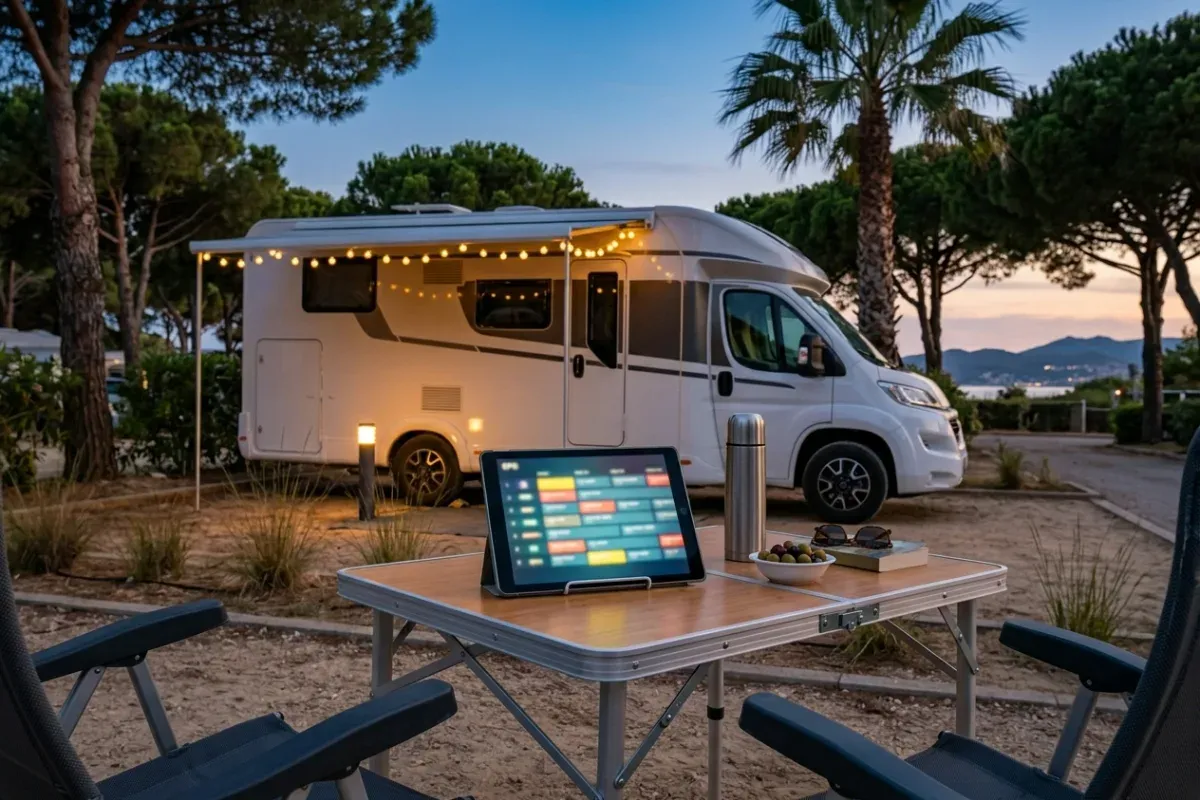
Motorhome and camper users are a class of their own. They move across Europe for weeks, change networks daily, and rarely have more than a mobile hotspot or a campsite Wi-Fi. For decades a satellite dish on the roof was standard for this group — today IPTV over 4G and 5G increasingly takes that role, because there is no dish to align and the signal still arrives under trees.
What all four groups share is the same expectation. Nobody is chasing exotic niche channels; they want the basics — Das Erste, ZDF, RTL, Sat.1, ProSieben, VOX, Kabel Eins, plus news from ntv, culture from 3sat and arte, and sports. Which providers cover that inside Germany and on what terms is broken down in our IPTV provider comparison 2026 — although the ranking shifts noticeably abroad, because availability suddenly matters more than price.
Get trial access on WhatsApp within minutes.
EU Portability: What the Regulation Actually Guarantees
Regulation (EU) 2017/1128 obliges providers of paid online content services to give their subscribers access even while those subscribers are temporarily present in another EU member state — at no extra charge and with no additional contract. It has applied directly in every member state since 1 April 2018. The full text is available at EUR-Lex.
Three terms decide whether the rule works for you. The first is “paid.” Only services provided against payment are obliged. Providers of free offerings — and that includes the public broadcasters’ Mediathek services — may offer portability voluntarily, but they do not have to. A provider that opts in must also verify its users’ country of residence, which in practice explains why almost no free service takes that route.
The second term is “temporary.” The regulation defines it as a time-limited presence in a member state other than the state of residence. It names no fixed ceiling in days — the situations meant are the familiar ones: a vacation, a business trip, a semester abroad, a fixed-term project. What it explicitly does not mean is a permanent move. Relocate your center of life and the entitlement ends, even if the subscription formally keeps billing.
The third term is the member state of residence. Providers may and must verify it — using payment details, contract data, a billing address, IP sampling, or comparable evidence; the regulation limits which means are permitted and demands data minimization in line with the GDPR. This verification is precisely why a German streaming subscription eventually gets caught after a move abroad: a German credit card alone does not carry the argument forever.
In practice, for a two-week vacation in Italy or Spain, this means your paid subscription simply keeps running, in the same quality and with the same catalog as at home — a VPN is neither necessary nor helpful for that. For someone emigrating to Portugal it means the opposite: once Portugal is the state of residence, portability ends, and you need a solution that works without that legal lever. The general German framework — copyright, the role of the Bundesnetzagentur, and how to spot a reputable provider — is covered in our IPTV basics for Germany.
Why the ARD and ZDF Mediathek Have Gaps Abroad
The Mediathek services are the obvious first grab — and the most common disappointment. The reason is not technology but licensing: rights are granted territory by territory. ARD and ZDF may usually show their own productions worldwide, but licensed series, feature movies, and sports rights only inside Germany. That is why the live stream often stays reachable while individual programs sit behind a geo notice.
This dividing line runs straight through the schedule. News, political magazines, in-house documentaries, talk shows, and a large share of early-evening series are generally available from abroad as well. What disappears first is exactly what you switch on for in the evening: international series with a license window, Hollywood movies, coverage of the Bundesliga, Champions League, and Formel 1, and concert recordings with music rights attached. Open the ARD Mediathek from a foreign connection and the pattern shows within a minute.
Crucially, these blocks apply inside the EU as well. The Portability Regulation does not lift them, because it covers paid services only; the Mediathek services are funded through the German broadcasting fee and are therefore free at the point of use rather than subscription-based. That fee is attached to a dwelling in Germany, not to a person — so it creates no travelling entitlement. Anyone living abroad does not pay it and cannot derive access from it.
On top of that come depublication deadlines: many items stay online only for a limited period and vanish afterwards regardless. For viewers abroad who reach a program days later, that is a second filter stacked on the geoblocking. And the commercial services are stricter still: RTL+, Joyn, and the sports offerings from DAZN, Sky Deutschland, or WOW work with tighter territorial clauses than the public broadcasters, because expensive exclusive rights are at stake.
The bottom line: abroad, the Mediathek services work as a supplement, not as basic coverage. For the Tagesschau, the heute journal, and the live stream of Das Erste they usually suffice; anyone expecting a Bundesliga match, a full season of a series, or the complete free-to-air lineup from RTL to Kabel Eins needs a second route.
We set up IPTV together with you — free via WhatsApp.
The Four Routes Compared: Mediathek, VPN, Satellite, IPTV
The four options differ less in price than in availability and effort. Mediathek is free but patchy. A VPN is cheap but unreliable. Satellite delivers the best picture but is bound to the coverage footprint and a fixed dish. IPTV costs a monthly fee but works anywhere enough bandwidth arrives.
| Route | Cost | Inside the EU | Outside the EU | Effort |
|---|---|---|---|---|
| Mediathek (ARD/ZDF) | free | live stream usually yes, archive patchy | heavily restricted to fully blocked | very low |
| VPN back to Germany | around 5 euros a month | technically possible, often detected | technically possible, often detected | medium, ongoing maintenance |
| Satellite (Astra 19.2° E) | one-off, around 150 euros of kit | yes, inside the footprint only | effectively no | high, needs a fixed dish |
| IPTV subscription | from €15/month | yes, one login for every device | yes, if the bandwidth holds | low, one-time setup |
The Mediathek is the risk-free entry point: nothing to install, nothing to pay. Expect the live streams of the main public channels, news, and in-house productions — and expect an error message the moment you click something licensed.
The VPN virtually relocates your IP address to Germany. Three points are routinely underestimated. First, a VPN creates no rights. It only changes what a server assumes about your location; the licensing situation is untouched. Second, large platforms maintain block lists of known VPN server ranges — what works today can stop after the next update. Third, encryption and the detour through a third-party server cost throughput and add latency; on an already tight hotel line, that is the difference between Full HD and constant buffering.
Satellite is technically the cleanest solution — and the least mobile. From the Astra orbital position at 19.2° East, German free-to-air channels are receivable unencrypted in HD, without internet, without a contract, without bandwidth worries. The catch is geography: the footprint roughly covers Europe and parts of North Africa. In Spain or Italy a standard dish is enough; toward the Canary Islands, Turkey, or the Middle East the required dish diameter grows fast, and beyond that nothing arrives at all. Add mounting work, a clear line of sight to the south, and the question of whether your landlord permits a dish at all. The background on the technology is summarized in the article on satellite television.
The IPTV subscription inverts the logic: instead of faking a German origin or pulling a signal out of the sky, the program is delivered as a stream over the open internet — via HLS in M3U8 segments, signed in through the Xtream Codes API or an M3U playlist. That makes your location technically irrelevant as long as the line holds. One login covers a Fire TV Stick, tablet, laptop, and phone; the XMLTV EPG travels with you. What the all-in-one package includes is listed on the services overview, and the terms — €15/month, €35/3 months, €45/6 months, €65/year — are on the pricing page. If you want to check first whether your line at the destination will hold, start with the 3-day free trial, ideally from home.
A fifth option shows up in forums regularly and deserves a mention for completeness: the sat-over-IP streamer in a German household, which relays the signal from a home dish onto the internet. Technically elegant, practically fragile — it presupposes an apartment in Germany, a machine running permanently, a usable upload rate, and somebody willing to power-cycle it when things break. As a long-term solution for expats it rarely holds up.
Inside and Outside the EU: The Decisive Difference
Inside the EU you hold a legal entitlement to take paid services with you; outside you do not. That is the whole difference — and it determines which solution makes sense. EU travelers can simply keep using their existing German subscription. Anyone living permanently outside the EU needs a service that was never geographically restricted.
For EU travelers with residence in Germany the situation is comfortable: keep the subscription, put the app on the travel device, done. Portability covers vacations, business trips, and semesters abroad. Only two details deserve attention. Some services ask for a connection from the country of residence every few weeks to renew the verification — worth keeping in mind if you travel for months. And the catalog can differ in spots, because individual titles simply lack an EU-wide license.
For an EU country as your new residence — the retiree on the Algarve, the family in Austria, the developer in Estonia — the automatic entitlement ends. Once residence has changed, the German provider is no longer obliged, and residence verification will notice sooner or later. Here a service that is not territorially bound is not a trick but the clean answer: you pay for the access you actually use instead of constructing an entitlement that does not exist. Where the line between a reputable offering and punishable IPTV use runs is decided by the provider’s licensing situation — not by where you happen to be staying.
For countries outside the EU — Switzerland, the United Kingdom, Turkey, the United Arab Emirates, Thailand, the USA, Canada, Australia — the regulation never applied. Notably, even Switzerland, sitting in the middle of Europe and full of German-speaking viewers, is not an EU member and therefore out of scope. For all these destinations two practical routes remain: satellite, where the footprint reaches (fine in Switzerland and Austria, not in Dubai or Bangkok), or IPTV over whatever internet connection exists.
One special case deserves mention: cruises and long-haul travel on satellite internet. Onboard bandwidth is rarely designed for live TV in Full HD, and latency can be high. If you do not want to go without television there, plan realistically for SD quality or download content in advance. The technical requirements differ sharply from those on land — more on that in the next section.
Our team usually replies within a few minutes.
Setting Up IPTV Abroad: The Travel Checklist
The single most important rule: everything that matters happens before departure. Order access, install the app, test the login, check the time zone, set favorites — five steps, about 15 minutes, all done on your home connection. At the destination only the Wi-Fi password is left to enter. Reverse the order and you will be hunting for APK files in a hotel room.
- Get access while you are still in Germany. You receive the server URL, username, and password for the Xtream Codes API plus an optional M3U URL via WhatsApp. If IPTV is new to you, start with the 3-day free trial and check in peace at home whether the channels, the EPG, and the picture quality match your expectations; how the free three-day test works in detail is described separately.
- Install the app on the device that travels. On tablets and phones, IPTV Smarters Pro or GSE Smart IPTV are the obvious picks; on Android TV and Google TV, TiviMate or OTT Navigator as well; on a laptop, VLC works for a quick function test. Installation belongs at home: app stores carry different catalogs by country, and an 80-megabyte download over hotel Wi-Fi is no fun. The step-by-step walkthrough for IPTV Smarters Pro covers each device individually.
- Save your login details and test the sign-in. Log in once, start a channel in Full HD, check the zapping time. Also store the login details in a password manager — not only in your WhatsApp history, which may not be immediately available on a new device abroad. That way a replacement device is ready in two minutes while you travel.
- Set the EPG and the time zone. The XMLTV EPG delivers broadcast times in Central European Time. If the player is set to the local time zone, the program guide shifts — by one hour in Greece, two in Dubai, five in Bangkok. In the settings, either fix the zone to Europe/Berlin or enable automatic time-zone correction.
- Set favorites and raise the buffer. Saving ten to fifteen regular channels as favorites spares you scrolling the whole list every time on a slow line. In the playback settings it is also worth increasing the buffer: a longer lead-in absorbs fluctuations on a hotel network, at the cost of a few seconds when switching channels.
Which Device Should Travel With You?
For short trips the tablet is the best device: a big enough display, long battery life, no cables, and via an HDMI adapter or Chromecast it can be attached to the hotel television when needed. The laptop is the alternative for anyone carrying one anyway — VLC or a browser is enough for a function test, and the full player runs on Windows exactly as it does at home.
For longer stays and vacation rentals the Fire TV Stick is the clearly better choice: it fits in a jacket pocket, plugs into the HDMI port of any television, and brings the familiar interface with it. Just make sure the target Wi-Fi asks for a normal password and not a browser sign-in page, which many sticks cannot handle. The complete device and model comparison is in our Fire TV Stick guide. On Apple TV, Samsung Tizen, and LG webOS the same principle applies — but app installation there is tied to the device, so it absolutely belongs on the pre-departure list.
Bandwidth and Technology on the Road
At least 10 Mbit/s should arrive reliably for Full HD, and at least 25 Mbit/s for 4K UHD — measured on the streaming device itself, not on a phone next to reception. What matters is not the peak figure but stability across an hour. Hotel Wi-Fi routinely collapses in the evening when every guest streams at once.
| Connection | Realistic bandwidth | Sensible resolution | Suitable travel setup |
|---|---|---|---|
| Hotel Wi-Fi (evening) | 3–15 Mbit/s | SD to Full HD | tablet or laptop, cap quality manually |
| Vacation rental with DSL | 16–50 Mbit/s | Full HD, sometimes 4K UHD | Fire TV Stick on the HDMI port |
| Mobile hotspot over 4G | 5–25 Mbit/s | Full HD | phone or tablet, prefer H.265/HEVC streams |
| 5G inside the EU | 25 Mbit/s and up | 4K UHD | Fire TV Stick via hotspot |
| Campsite Wi-Fi | 1–5 Mbit/s | SD, frequent buffering | VOD instead of live TV, maximize the buffer |
Three technical levers make the biggest difference on the road. The first is the codec: streams in H.265/HEVC need noticeably less bandwidth than H.264 at the same picture quality. Enable the hardware decoder in the playback settings and the device’s chip does the work — which also lowers power draw, and that counts on battery. Older tablets do occasionally fail at HEVC; switching to the software decoder fixes it.
The second lever is the connection. In vacation rentals with the router in range, a LAN adapter on the Fire TV Stick is the most reliable link of all. If only Wi-Fi is available: prefer the 5 GHz band, find a line of sight to the router, and when in doubt test the mobile hotspot — inside the EU, roaming applies at domestic rates, so a 4G or 5G hotspot is often faster than the guest network. Outside the EU, watch your data allowance closely instead: an hour of Full HD burns roughly 3 to 4 GB.
The third lever is your expectation about resolution. 4K UHD is wasted on a 10-inch tablet; Full HD or even 720p looks identical there and runs stably. Many players let you cap the quality permanently — on a weak line that is more effective than any other measure. What an all-in-one package with Full HD, 4K UHD, and an XMLTV EPG looks like day to day is summarized at IPTV Anbieter Germany.
Available around the clock — answers usually within minutes.
Troubleshooting: Geoblocking, Buffering, and Time Zones
Almost every problem abroad falls into five categories: a geo block despite a valid subscription, constant buffering, a shifted program guide, a Wi-Fi network with a sign-in page, and a player that shows certain channels as black. All five can be narrowed down on site within minutes — here are the causes and the fixes.
“This content is not available in your country” despite a paid subscription. First check whether the service falls under EU portability at all: free offerings such as the Mediathek services do not. If it does fall under the rule and still reports a block, residence verification has usually tripped — because you have been abroad longer than intended, for instance, or because the billing address on file no longer matches. A VPN is the wrong answer here: it masks the symptom, is frequently detected, and costs bandwidth. The better move is a service that never sets the block in the first place.
Constant buffering despite a healthy-looking speed test. Measure the speed on the streaming device itself and at the time you actually watch — 40 Mbit/s at 11 in the morning says nothing about 9 in the evening. If the measurement comes up short, lower the quality step in the player, raise the buffer, and switch to 5 GHz or LAN where possible. If that does not help, the route to the server is the bottleneck; support can assign a different stream server, often with a markedly better path into your destination country.
The program guide shows the wrong times. A classic in every time zone outside CET. The XMLTV EPG delivers German times; if the player runs on local time, every entry shifts by the offset. The fix: correct the time offset manually in the EPG settings, or fix the zone to Europe/Berlin. Remember daylight saving time — Germany and your destination do not always switch on the same date, which creates a one-hour offset for a week or two.
The Wi-Fi demands a sign-in page. Hotels, airports, and campsites often use a captive portal — a browser page where you enter a room number or code. The Fire TV Stick and many smart-TV apps cannot display that page. The reliable workaround: sign your phone into the network, set up a hotspot from it, and connect the stick to that hotspot. Alternatively, ask reception to whitelist your device by MAC address — the address is in the device’s network settings.
Individual channels stay black. If the majority of channels play fine, the decoder or a network filter is almost always at fault. Switch between the hardware and software decoder in the playback settings; older devices fail at H.265/HEVC. If the problem persists, test the same channel over your mobile hotspot: if it runs there, the guest network is filtering certain ports or protocols — not unusual in hotels and corporate networks. More typical cases are collected on our FAQ page; if none of it helps, support is reachable around the clock via WhatsApp or the contact page.
Pros and Cons of IPTV Abroad
Abroad, IPTV is the most flexible of the four options — one login, every device, no coverage footprint, no residence verification. You pay for that with one hard dependency: without a stable internet connection, nothing runs. The honest balance sheet:
Pros
- Location-independent: works inside and outside the EU, in Vienna as in Bangkok, as long as at least 10 Mbit/s arrives for Full HD.
- One access for every device: Fire TV Stick, tablet, laptop, and phone share the same login details — handy when devices change on the road.
- No hardware project: no dish, no alignment, no mounting permission from a landlord — the stick fits in a jacket pocket.
- Predictable cost: €15/month, €35/3 months, €45/6 months, or €65/year, with no second subscription at your destination and no roaming surprises on Wi-Fi.
- Risk-free start: the 3-day free trial can be tested at home before departure, so the channels, the EPG, and the controls are already familiar when you arrive.
Cons
- It stands or falls with the line: on campsites, in older vacation houses, and on cruise ships the bandwidth often only carries SD — satellite is arguably superior there.
- Data volume outside the EU: over mobile networks without a roaming rule, live TV gets expensive fast; an hour of Full HD costs roughly 3 to 4 GB.
- Provider quality varies widely: the market is hard to survey and dubious offers with “lifetime” promises are common — selecting on legal notice, fixed prices, and reachable support is mandatory.
- Setup belongs at home: start only after arrival and you will fight unfamiliar app stores, captive portals, and slow downloads.
Subscribe and start streaming in 5 minutes.
Frequently Asked Questions about German TV Abroad
Can I legally watch German television abroad?
Yes. Inside the EU, Portability Regulation (EU) 2017/1128 guarantees that paid online content services keep working during a temporary stay at no extra charge. The free live streams of Das Erste and ZDF are usually reachable anyway. Outside the EU, the only thing that matters is whether the service you picked is geographically restricted.
Why does the ARD Mediathek only partly work abroad?
Because licenses are granted territory by territory. ARD and ZDF may usually show their own productions worldwide, but licensed series, feature movies, and sports rights only inside Germany. That is why the live streams often keep running while individual programs in the Mediathek stay blocked behind a geo notice.
Do I need a VPN for German TV abroad?
Inside the EU, usually not — EU portability does that job for paid services. A VPN also creates no rights: it only moves your IP address. Many services detect and block VPN traffic, and the extra encryption costs both bandwidth and response time.
How long does a temporary stay last under EU portability?
The regulation names no fixed limit in days. It covers vacations, business trips, study periods, and similar time-limited stays. What decides the case is your member state of residence: anyone who moves abroad permanently falls out of the rule, because the provider is allowed to verify residence.
How much bandwidth do I need for German TV on hotel Wi-Fi?
At least 10 Mbit/s should arrive reliably for Full HD, and at least 25 Mbit/s for 4K UHD. Hotel Wi-Fi often delivers less in the evening. A mobile hotspot over 4G or 5G is frequently the more stable alternative inside the EU thanks to roaming.
Does an IPTV subscription work outside the EU too?
Yes, as long as the service is not tied to a German IP address. An IPTV subscription runs anywhere enough bandwidth arrives — the same login details on a Fire TV Stick, tablet, laptop, and phone, with no second subscription at your destination.
Conclusion: German Television Abroad in 2026
The answer hangs on a single question: where is your residence, and how long are you away? Vacationers and business travelers inside the EU have little to do — their paid subscription travels with them thanks to the Portability Regulation, and the Mediathek services add the live streams. Expats, cross-border commuters, and long-term travelers outside the EU are in a different position: there is no legal entitlement to take a service along, and a VPN does not replace one. Here a service without geographic restriction is the honest route — satellite where a fixed dish inside the footprint is possible, otherwise IPTV over whatever line exists.
The pragmatic way to start looks like this: while still in Germany, request the 3-day free trial, install the app on the device that travels, test the login and the EPG once in peace — and fly out with a setup that only needs the Wi-Fi password at the other end. If it fits, the monthly plan at €15 covers a single trip, while the yearly plan at €65 is the cheapest option for expats with a permanent need; all terms are on the plan overview.
About the IPTV Anbieter Team — Who we are
The IPTV Anbieter Team helps customers across Germany, Austria, Switzerland, and all of Europe enjoy a seamless IPTV streaming experience. Our support team is available around the clock via WhatsApp for setup, troubleshooting, and subscription questions.