· IPTV Anbieter Team · Guide · 21 min read
IPTV Smarters Pro 2026: Download, Setup & Cost
IPTV Smarters Pro 2026: free download for Android, Windows & smart TVs, Xtream Codes setup in 5 minutes — subscription from €15/month.
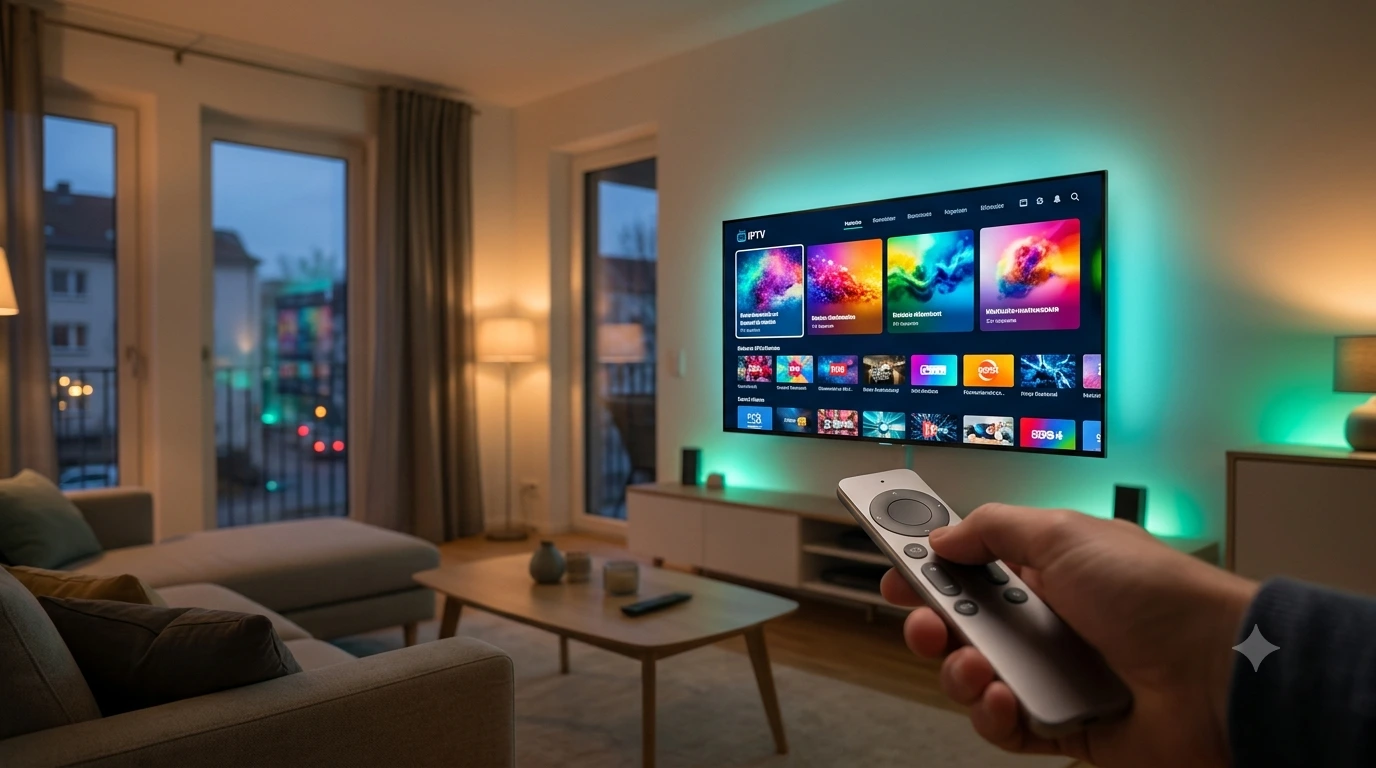
What is IPTV Smarters Pro — and what does the app really cost? The short answer: IPTV Smarters Pro is a free IPTV player for Android, iOS, Windows, the Fire TV Stick, and smart TVs. The app itself delivers no channels; it plays whatever an IPTV service provides via the Xtream Codes API or an M3U playlist. The login details come from a subscription such as the all-in-one IPTV package from IPTV Anbieter from €15/month — together, app and subscription add up to a complete TV experience with live TV, an EPG, movies, and series.
It is exactly this separation between player and content that trips up most beginners: they install the app, stare at a login screen with three empty fields, and get stuck. This guide clears that up. You will learn what IPTV Smarters Pro can do and where its limits are, what the legal situation in Germany looks like, how the app stacks up against TiviMate, Smart IPTV, IBO Player, and the other alternatives — and how to set it up on any device in about five minutes, from Android TV and the Fire TV Stick to a Samsung television and a Windows PC.
Everything here reflects the state of August 2026. If you want to start one level deeper — what IPTV actually is technically and how the German market works — our big IPTV Germany Guide 2026 lays that foundation; here we focus entirely on the country’s most-used IPTV app.
Quick Summary / TL;DR
- IPTV Smarters Pro is a pure player: a free app by the developer WHMCS Smarters — channels, movies, and series come from the separate subscription of an IPTV provider, and you sign in via the Xtream Codes API or an M3U URL.
- Cost: the app is free; the content subscription at IPTV Anbieter costs €15/month, €35/3 months, €45/6 months, or €65/year — cancelable monthly, with Full HD, 4K UHD, and an XMLTV EPG.
- Runs almost everywhere: Android TV, Google TV, Fire TV Stick, iPhone/iPad (as Smarters Player Lite), Windows, Samsung Tizen, and LG webOS — your login details are identical on every device.
- Strengths and limits: the most beginner-friendly interface with a VOD library and multi-screen; if you want the best live-TV EPG on Android devices, TiviMate is the specialist.
- Set up in 5 minutes: install the app, choose “Login with Xtream Codes API,” enter the server URL, username, and password, refresh the EPG, save your favorites — done.
Try IPTV Anbieter before paying anything.
Table of Contents
- What Is IPTV Smarters Pro?
- Is IPTV Smarters Pro Legal?
- IPTV Smarters Pro and the Alternatives Compared
- Download and Setup on Every Device
- The Most Important Features in Daily Use
- Troubleshooting: The Five Most Common Errors
- Pros and Cons of IPTV Smarters Pro
- Frequently Asked Questions about IPTV Smarters Pro
- Conclusion: Is IPTV Smarters Pro Worth It in 2026?
What Is IPTV Smarters Pro?
IPTV Smarters Pro is a free player app by the Indian software company WHMCS Smarters that plays the IPTV streams of any provider. It bundles live TV with an XMLTV EPG, video on demand, series, and catch-up into one interface — provided you sign in with the login details of an IPTV service, via the Xtream Codes API or an M3U playlist.
The working principle matches that of VLC or Kodi: the software is a playback device, not a broadcaster. What ends up on your screen is determined entirely by the service behind the login details. A reputable subscription delivers German free-to-air channels from Das Erste and ZDF to ProSieben and Sat.1, international programming, sports feeds with Sky Sport, DAZN, and Eurosport channels, and a VOD library — the app sorts all of it into categories, lays a program guide over it, and remembers your favorites.
In everyday use, that means: after logging in you see four tiles — live TV, movies, series, and the EPG. The live section groups channels by category (Germany, sports, international), the program guide shows what is on now and next, and the VOD library presents movies with covers, descriptions, and ratings. If you are coming from MagentaTV, waipu.tv, or Zattoo, you will typically find your way around within minutes — the navigation logic resembles the familiar streaming apps far more than the classic channel list of a cable receiver.
The family includes several variants that cause recurring confusion. IPTV Smarters Pro is the main version for Android, Windows, and smart TVs. Smarters Player Lite is the neutral edition used primarily on iPhone and iPad — functionally almost identical, but without any preconfigured provider integration. Beyond that, countless white-label offshoots exist: WHMCS Smarters licenses the app to IPTV services, which ship it under their own name and logo. If your provider advertises “its own app,” this codebase is quite often what is underneath. For you as a user this makes no difference — operation and login logic stay the same.
One thing to set expectations: IPTV Smarters Pro is built as a generalist, not a specialist. The app aims to cover live TV, VOD, and series equally and targets households that want a single, easy-to-use interface for everything. Purists who want live television only, with the fastest EPG in the Android world, reach for the alternative TiviMate — more on that below in the player comparison.
Get trial access on WhatsApp within minutes.
Is IPTV Smarters Pro Legal?
Yes — IPTV Smarters Pro is entirely legal as software. The app transmits no content of its own and therefore infringes no rights; it is a neutral player like VLC. What matters legally is solely the IPTV service whose login details you enter: it must hold licenses for the content it streams. German copyright law sets the framework here.
This distinction is not a technicality but the core of the legal situation in Germany. Television over an internet connection is an established, legal distribution model — Deutsche Telekom’s MagentaTV works no differently at a technical level. The Bundesnetzagentur, Germany’s federal network agency, oversees network and consumer matters, while copyright law governs who may distribute which content. For you as a viewer this means: your choice of app is legally neutral; your choice of provider is not.
You can recognize reputable IPTV services by a handful of markers that take two minutes to check: a complete legal notice, fixed and realistic prices instead of “lifetime” promises, real support channels with a verifiable response time, clear terms of service, and standard payment methods. Be suspicious of one-off payments “forever,” payment exclusively via cryptocurrency, and services with no contact route other than an anonymous Telegram channel. The full checklist, including the legal background, is in our guide to the IPTV legal situation in Germany.
Two European rules are additionally relevant because you feel them directly inside the app. First, the GDPR: IPTV Smarters Pro requires no account with its developer — your login details travel only between the app and your provider’s server. The less personal data a service requests at sign-up, the better. Second, EU portability under the Portability Regulation (EU) 2017/1128: you may take your paid subscription with you anywhere in the EU. In practice that means — app installed on the tablet, login details entered, and the feed runs at your vacation spot exactly as it does at home, no VPN required.
We set up IPTV together with you — free via WhatsApp.
IPTV Smarters Pro and the Alternatives Compared
IPTV Smarters Pro is Germany’s most-searched IPTV app in 2026, but it is not the best in every discipline. The rule of thumb: Smarters Pro for beginners and VOD users, TiviMate for the best live-TV experience on Android, Smart IPTV and IBO Player for Samsung and LG televisions without sideloading, GSE Smart IPTV and VLC as specialty tools.
The seven relevant players at a glance:
| Player | Platforms | Xtream API | M3U | Price | Strength |
|---|---|---|---|---|---|
| IPTV Smarters Pro | Android, iOS¹, Windows, Fire TV, smart TVs | Yes | Yes | free | beginner-friendly UI, strong VOD |
| TiviMate | Android TV, Google TV, Fire TV | Yes | Yes | free base, premium upgrade | best live EPG, pro-level tweaking |
| Smart IPTV (SIPTV) | Samsung Tizen, LG webOS, Fire TV, Android | No | Yes | one-time activation | the classic directly on smart TVs |
| IBO Player | Samsung Tizen, LG webOS, Android, Fire TV | Yes² | Yes | activation per device | modern look on smart TVs |
| GSE Smart IPTV | iOS, Apple TV, Android | Yes | Yes | free with ads | format variety on Apple devices |
| OTT Navigator | Android, Android TV, Fire TV | Yes | Yes | free base, premium | deepest customization |
| VLC / Kodi | Windows, macOS, Linux, Android | No | Yes | free | quick tests and tinkerer ecosystem |
¹ On iOS as Smarters Player Lite. ² Playlist managed via the developer’s web portal.
TiviMate is the benchmark for pure live television on Android TV, Google TV, the Fire TV Stick, and the Nvidia Shield: a lightning-fast program guide, freely customizable channel lists, and recording features in the paid premium upgrade. What is missing: a full VOD library with cover view and any version for iPhone, Windows, or Samsung televisions. If you want both — a strong EPG and a movie library — simply install both apps with the same login details; your subscription allows it.
Smart IPTV, often just called SIPTV, is the veteran among smart-TV players and runs natively on Samsung Tizen and LG webOS — no second device, no sideloading. The playlist is uploaded once via the developer’s website, and after that the television is ready to go. The price you pay: no Xtream login with an automatic VOD catalog, a one-time activation fee per device, and a look that does not hide its age.
IBO Player pursues the same goal with a more modern interface: native apps for Samsung and LG televisions, convenient playlist management through a web portal, activation per device. For households whose television is the only screen and who do not want to attach a Fire TV Stick, IBO Player is the most complete smart-TV solution in 2026.
GSE Smart IPTV shines on iPhone, iPad, and Apple TV with enormous format variety (M3U, M3U8, JSON, Xtream) — you have to tolerate the ads in the free version. OTT Navigator is the counterpart for Android tinkerers: hardly any app can be customized more deeply, and hardly any overwhelms beginners more thoroughly. VLC opens an M3U URL on any desktop operating system in seconds, making it perfect for a quick function test on a PC; Kodi turns a media center into a TV receiver with the PVR IPTV Simple Client — powerful, but a weekend project.
One note: this comparison covers player apps. Which service behind them should deliver the content — MagentaTV, waipu.tv, Zattoo, or an independent all-in-one package — is settled by our big IPTV provider comparison 2026 with all prices and the sports rights split.
Download and Setup on Every Device
Setting up IPTV Smarters Pro takes about five minutes on any device and always follows the same pattern: install the app, choose “Login with Xtream Codes API,” enter the server URL, username, and password, refresh the EPG, set your favorites. The login details come from your IPTV subscription — at IPTV Anbieter they arrive via WhatsApp a few minutes after ordering.
Before you start, you need exactly one thing: an active subscription. On the pricing page you choose between €15/month, €35/3 months, €45/6 months, and €65/year — for risk-free testing, the monthly plan is the natural pick. After that, the setup goes like this:
- Install the app. The right route for your device is covered in the sections below — from the Play Store and the Downloader app to the Windows installer from the official Smarters website.
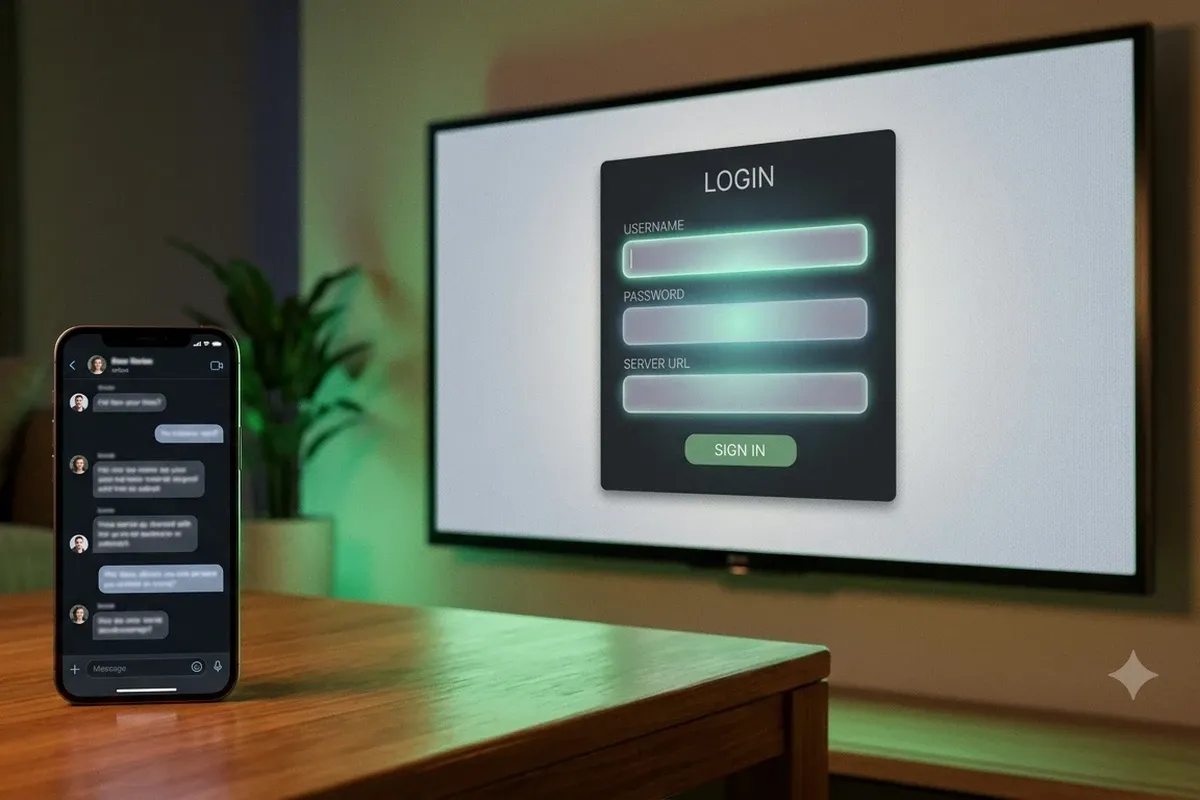
- Choose the login method. On first launch the app offers several routes. Pick “Login with Xtream Codes API” — this route loads the EPG plus movie and series categories automatically. The M3U route leads to the same channel list but more often requires manual work for the program guide.
- Enter your login details. Three fields: server URL, username, password — exactly as they appear in your WhatsApp message. The list name is up to you. Typos are error source number one here: a single trailing space in the URL is enough to produce “login failed.”
- Check the EPG. After the first load, the program guide should populate within minutes. If it stays empty: tap “Settings → EPG → Refresh.”
- Favorites and fine-tuning. Long-press your key channels to save them as favorites, and enable the hardware decoder (H.265/HEVC) in the playback settings — it noticeably reduces zapping times and CPU load.
Android TV and Google TV
On Android TV and Google TV — from the Nvidia Shield and Sony or Philips televisions to the Chromecast with Google TV — you will find IPTV Smarters Pro in the Play Store at times; its availability there keeps changing, however. If the app is missing, download the Android TV APK from the official website and install it with a file manager such as “Send Files to TV.” From the first launch, the remote handles all navigation; entering login details is far quicker with Google TV’s phone-keyboard feature than with the on-screen keyboard.
Fire TV Stick
The Fire TV Stick is Germany’s most popular IPTV device — and Amazon’s appstore does not carry IPTV Smarters Pro at all. The established, legal route runs through the free Downloader app: install Downloader from the Amazon Appstore, allow “apps from unknown sources” for Downloader, enter the download address of the Smarters APK inside the app, install, done. The complete walkthrough with screenshots, the model comparison from the Fire TV Stick Lite to the 4K Max, and the optimal settings are in our Fire TV Stick guide — including the question of when the extra cost of the 4K model pays off.
Samsung Tizen and LG webOS
On Samsung and LG televisions, the route depends on the model year: newer sets sometimes list IPTV Smarters Pro directly in the Tizen or webOS app store — open the search, install, sign in. If the app is not listed on your model, switch to the native alternatives Smart IPTV or IBO Player from the respective store: both accept the same login details (as an M3U playlist or an Xtream login) and make the television ready to watch without any extra hardware. The third option, for maximum comfort: a Fire TV Stick on the HDMI port, which decouples the app question from the television entirely.
Windows 11 and Windows 10
For the PC, WHMCS Smarters offers a full desktop client: you download IPTV Smarters Pro for Windows as an installer from the official website, and the setup matches the TV version step for step. The Windows client is ideal as a second screen in the home office — the Bundesliga conference in a window next to the spreadsheet — and as a diagnostic tool: if a stream runs smoothly on the PC but not on the television, the problem sits with the TV device or its Wi-Fi connection, not with the service. Alternatively, VLC opens any M3U URL without installation — handy for a quick function test.
iPhone, iPad, and Android Phones
On the iPhone and iPad the app is called Smarters Player Lite and comes from the App Store the regular way; functionally it offers the Xtream and M3U login, EPG, VOD, and favorites. Android phones use the same APK as the TV version, or the Play Store build where listed. The phone doubles as the ideal second screen on the road: thanks to EU portability, your subscription keeps working on EU vacations without a VPN — hotel Wi-Fi is enough, and the Bundesliga runs at the beach just as it does at home.
Our team usually replies within a few minutes.
The Most Important Features in Daily Use
IPTV Smarters Pro bundles five feature areas that make the difference day to day: an XMLTV program guide across all channels, a VOD library with cover view, catch-up for missed shows, multi-screen with up to four parallel streams, and fine-grained playback settings including an external player. What you can actually use is determined by the subscription behind it.
The program guide (EPG) is the command center: it shows what is on now and next for every channel, fed by the provider’s XMLTV feed. With an Xtream login it loads automatically; the refresh frequency is adjustable in the settings. In a direct comparison, TiviMate’s EPG flips through hundreds of channels more fluidly — but for normal zapping, the Smarters program guide is perfectly sufficient.
The VOD and series library is the app’s real showpiece: movies and series appear with covers, short descriptions, and ratings, sorted into categories and searchable via the master search, which queries live TV, movies, and series at once. Catch-up adds missed shows from recent days, recognizable by the clock icon next to supported channels — whether and how far back depends on the service. What the all-in-one package from IPTV Anbieter includes — from German free-to-air channels and international programming to sports feeds with Sky Sport and DAZN — is listed in detail on the services overview.
Multi-screen splits the display into up to four parallel streams — a do-it-yourself Bundesliga conference: the top match large, three more slots beside it. On capable hardware such as the Nvidia Shield or a current Fire TV Stick 4K this works surprisingly well; entry-level sticks answer four parallel HD streams with stutters. On top of that come parental controls with PIN protection at category level, multiple user profiles with separate favorites — and, for edge cases, the option to hand individual streams to an external player such as VLC when its decoder handles a format better. If you run several providers or trial accounts in parallel, you add them in the app as separate playlists and switch between channel lists in two clicks — convenient during a transition phase while the old service is still running.
Available around the clock — answers usually within minutes.
Troubleshooting: The Five Most Common Errors
Almost all Smarters problems fall into five categories — a failed login, an empty EPG, buffering, a black screen on individual channels, and an app that will not install. Each of them can be fixed in a few minutes; here are the causes and solutions at a glance.
“Login failed” on the first sign-in. Nine times out of ten an input problem: a typo in the server URL, a trailing space at the end of a line, or the M3U URL pasted into the wrong form. Rule of thumb: three fields (server, username, password) = Xtream Codes API; one single long URL = M3U playlist. Also check that the subscription is active — expired login details produce the same message. When in doubt, support responds within minutes via WhatsApp or through the contact page.
The EPG stays empty. With an Xtream login, the program guide normally loads automatically; if it does not, open “Settings → EPG” and trigger the refresh manually. With an M3U login, the provider’s XMLTV URL may need to be entered by hand. After that, the program overview populates within minutes — individual channels that stay permanently empty usually mean the provider simply ships no EPG data for that channel.
Buffering and freezes. Rarely the service, almost always the line: at least 10 Mbit/s should arrive reliably for Full HD, 25 Mbit/s for 4K UHD. Measure the speed on the streaming device itself, not on your phone. Then: restart the router, disable the VPN (unnecessary within the EU anyway thanks to EU portability), and connect sticks and boxes via a LAN adapter instead of Wi-Fi where possible. If the stuttering persists, support assigns a different server.
Black screen or crash on individual channels. If the majority of channels play fine but certain ones show only black or crash the app, the video decoder is almost always to blame. Switch between the hardware and software decoder in the playback settings: older devices fail at H.265/HEVC streams in hardware, while modern sticks only hit their stride with it. If that does not help, hand the affected channel to VLC as an external player as a test.
The app disappears or will not install. The Play Store presence of IPTV Smarters Pro has never been stable — listings come and go. That is not a malware alarm but store policy toward neutral IPTV players. The reliable route remains the APK from the official developer website, installed via the Downloader app on the Fire TV Stick. An already installed player keeps working regardless of store removals; you then apply updates manually once a quarter. More answers to typical beginner questions are collected on our FAQ page.
Pros and Cons of IPTV Smarters Pro
IPTV Smarters Pro is the best first IPTV app: free, at home on almost every platform, and set up in five minutes — with trade-offs in EPG speed and update reliability. The honest balance sheet:
Pros
- Free with the full feature set — no subscription and no activation fee for the app; you only pay for the content service.
- The most beginner-friendly interface on the market: four tiles, clear categories, streaming-app logic instead of receiver menus.
- Runs practically everywhere: Android TV, Google TV, Fire TV Stick, iPhone/iPad, Windows, Samsung Tizen, LG webOS — one subscription, identical login details on every device.
- A strong VOD and series library with cover view, master search, and catch-up — here Smarters Pro clearly beats the live-TV specialist TiviMate.
- Xtream Codes API and M3U supported equally — the app connects to any reputable provider, and switching providers just means new login details.
Cons
- EPG and channel switching are good, not best-in-class — TiviMate flips through large channel lists noticeably more fluidly on Android devices.
- Store availability fluctuates: the Play Store does not list the app reliably, and the Amazon Appstore not at all; the APK route via Downloader costs beginners five extra minutes once.
- The look shows its age — functional, but less polished than modern competitors such as IBO Player.
- Useless without a subscription: the app ships no content — installed without login details, it shows nothing but a sign-in screen.
Subscribe and start streaming in 5 minutes.
Frequently Asked Questions about IPTV Smarters Pro
How much does IPTV Smarters Pro cost?
The app itself is free — there is no charge for downloading, installing, or using any core feature. You only pay for the content: channels and VOD come from a separate IPTV subscription, at IPTV Anbieter from €15/month, alternatively €35/3 months, €45/6 months, or €65/year.
Is IPTV Smarters Pro legal?
Yes. IPTV Smarters Pro is a neutral media player like VLC — legal software that ships no content of its own. What matters is the IPTV service whose login details you enter: if the provider streams licensed content, using the app is unproblematic. Copyright law sets the legal framework.
Where can I download IPTV Smarters Pro?
Most reliably from the official website of its developer WHMCS Smarters, as an APK for Android and an installer for Windows. On the Fire TV Stick the route runs through the free Downloader app; on iPhone and iPad you get Smarters Player Lite from the App Store.
Does IPTV Smarters Pro run on Samsung smart TVs?
Depending on the model year, you will find the app directly in the Samsung Tizen app store. If it is missing there, native players such as Smart IPTV or IBO Player do the same job — your login details (Xtream Codes API or M3U) work identically in all of these apps.
What is the difference between IPTV Smarters Pro and Smarters Player Lite?
Smarters Player Lite is the neutral version for iOS with the same core features: Xtream Codes and M3U login, EPG, VOD, and favorites. The Pro version for Android, Windows, and smart TVs adds convenience features such as multi-screen and extended playback settings.
Which IPTV provider works with IPTV Smarters Pro?
Any service that hands out login details via the Xtream Codes API or an M3U playlist. At IPTV Anbieter Germany you receive both via WhatsApp: server URL, username, and password for the three-field login, plus an optional M3U URL — including the XMLTV EPG, Full HD, and 4K UHD.
Conclusion: Is IPTV Smarters Pro Worth It in 2026?
For the large majority, the answer is yes. IPTV Smarters Pro is the best entry point into the IPTV world in 2026 — free, at home on practically any hardware from the Fire TV Stick to a Samsung television, and with an interface modeled on streaming apps rather than receiver menus. The VOD library and the master search make the app a complete solution for households that want live TV, movies, and series in one interface. If you later want more EPG speed, put TiviMate next to it; if you want to use the television on its own, reach for IBO Player — the login details stay the same.
The pragmatic way to start looks like this: pick the monthly plan for €15 on the pricing page, receive your login details via WhatsApp, install the app following the guide above, and watch TV tonight — in time for the Bundesliga season opener at the end of August, with no annual contract and no risk. If it works out, the yearly plan for €65 delivers the biggest saving afterwards.
About the IPTV Anbieter Team — Who we are
The IPTV Anbieter Team helps customers across Germany, Austria, Switzerland, and all of Europe enjoy a seamless IPTV streaming experience. Our support team is available around the clock via WhatsApp for setup, troubleshooting, and subscription questions.