· IPTV Anbieter Team · Guide · 22 min read
IPTV Germany 2026: Legality, Best Providers & Guide
IPTV Germany 2026: legality, providers and setup explained. Plans from €15/month. Comparison table + step-by-step guide.

More and more households in Germany are looking for flexible alternatives to expensive cable and complicated satellite setups. IPTV Germany is riding high in 2026: live TV, sports, and streaming from a single source, in Full HD or 4K UHD if you want it, usually with no long contract. Whether you want to watch Bundesliga matches live, stream DAZN events, or receive international channels in your native language — the right IPTV service puts everything in one interface.
IPTV in Germany has been a growth market for a while now. According to industry observers, more households switch from classic cable subscriptions to internet-based TV solutions every year. The reasons are straightforward: more flexible terms, noticeably lower prices for comparable or better content, and the ability to watch on almost any device — whether that’s a large Samsung Tizen TV in the living room, an LG webOS TV in the bedroom, or a smartphone on the go. There’s barely any technical barrier to entry: a standard broadband connection and a compatible player are all you need.
This comprehensive guide explains what IPTV Germany means technically, exactly what the current legal situation in Germany looks like, which providers are worth choosing, how to set up IPTV in a few minutes, and what to do about common problems.
IPTV Anbieter gives you a complete IPTV experience starting at €15/month — with more than 50,000 channels, an EPG program guide, a VOD library, and 24/7 support. Read this guide all the way through so you can make the best, most informed decision for your household.
TL;DR
- IPTV Germany is television over the internet — legal, as long as the provider holds proper licenses.
- Plans start at €15/month; yearly plans cost €65 and are the most economical option.
- Supported devices: Fire TV Stick, Android TV, smart TVs, Apple TV, MAG-Box, and all popular IPTV apps.
- Setup takes just a few minutes: enter your M3U URL or Xtream Codes login details into TiviMate or IPTV Smarters Pro.
- Copyright law protects rights holders — choose only licensed, reputable services.
Try IPTV Anbieter before paying anything.
Table of Contents
- What Is IPTV?
- Legality and the Legal Situation in Germany
- Providers and Plans Compared
- Step-by-Step Setup
- Troubleshooting: Fixing Common Issues
- Pros and Cons of IPTV Germany
- Frequently Asked Questions About IPTV Germany
- Conclusion and Next Steps
Get trial access on WhatsApp within minutes.
What Is IPTV?
IPTV (Internet Protocol Television) means television delivered over the internet. Instead of a coaxial cable or a satellite dish, the TV signal travels over your broadband connection — received by an app on a smart TV, tablet, phone, or Fire TV Stick. In IPTV Germany, millions of households already use this approach: a single subscription, thousands of channels, sports, movies, and series in one place.
How IPTV Works Technically
The provider transmits the TV signal as data packets over the internet. Your player — TiviMate or IPTV Smarters Pro, for example — receives these packets and decodes them in real time. Modern services rely on the HLS protocol (HTTP Live Streaming) or Xtream Codes to keep playback stable. The channel list is delivered through an M3U or M3U8 playlist; the EPG (Electronic Program Guide) is usually added as an XMLTV feed, so you get a complete, interactive program guide right on your screen.
Modern codecs such as H.265 (also known as HEVC) and H.264 mean that even Full HD and 4K UHD streams can be transmitted with comparatively low bandwidth. A single Full HD stream needs noticeably less data with efficient H.265 compression than it would under older standards.
What IPTV Offers — Typical Features
- EPG / Electronic Program Guide: An interactive program guide in real time, up to 7 days ahead. You can see at a glance what’s on now and what’s coming up next — tied to the XMLTV standard for maximum app compatibility.
- VOD (Video on Demand): Thousands of movies and series on demand, any time, with no fixed broadcast schedule. Many services include recent theatrical releases and entire series box sets.
- Timeshift: Pause, rewind, or watch a program with a delay — depending on the provider, up to 7 days back.
- Multilingual channels: International channels from Europe, the Middle East, North Africa, and the Americas in a single package. For multilingual households in particular, this is a substantial advantage over classic cable TV.
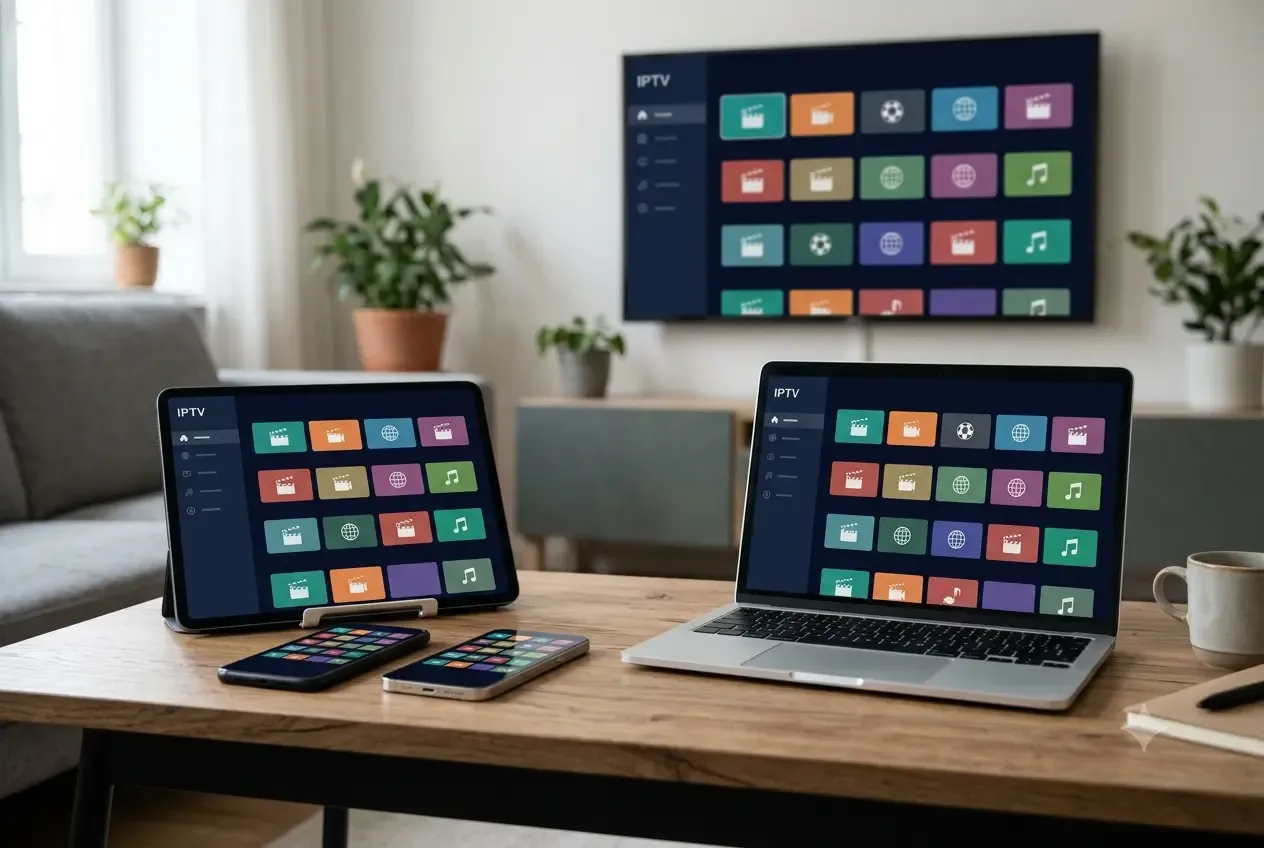
- Multi-screen: One subscription, multiple devices. Fire TV Stick in the living room, Android TV in the bedroom, iPhone on the go.
- Catch-up / replay: Some providers let you watch already-aired shows after the fact through a catch-up function — especially handy for sports events you missed live.
IPTV vs. Traditional Alternatives
Compared with MagentaTV (Deutsche Telekom), Sky Deutschland, or waipu.tv, an independent IPTV service often offers a noticeably larger channel selection at a lower price — especially for international channels, which German cable providers frequently bundle only into expensive add-on packages. Unlike Zattoo or Joyn (ad-supported, limited selection), a full IPTV subscription gives you a comprehensive package with no ad breaks during live playback.
Pluto TV and RTL+ offer free content, but rely on a limited, ad-supported model that covers neither live sports nor the complete free-TV lineup of every channel. Vodafone GigaTV is tied to a Vodafone cable connection and therefore isn’t available to every household. For users who want maximum flexibility, a broad international selection, and freedom of device, a full IPTV package is the more convincing solution.
Legality and the Legal Situation in Germany
IPTV is generally legal in Germany — the technology itself isn’t banned. What matters is solely whether the provider holds the required licenses for the content it transmits. Reputable providers have signed contracts with rights holders and transmit only licensed content. Copyright law requires every market participant to respect these licenses.
Legal Framework in Germany
German copyright law (the Urheberrechtsgesetz, or UrhG) protects the rights of broadcasters, producers, and rights holders. Anyone who relays or receives TV signals without a license risks legal consequences — both on the provider side and the user side. The Bundesnetzagentur regulates the telecommunications market in Germany and is responsible for overseeing broadcasting and telecommunications service providers.
For users inside the EU, EU portability also applies (Regulation (EU) 2017/1128): subscribers may continue to use online content they legitimately purchased while temporarily staying in another EU member state — an important point for anyone who wants to watch TV while traveling or on vacation within the EU.
GDPR and Data Privacy
Reputable IPTV providers process your data in accordance with the GDPR (General Data Protection Regulation). That means clear disclosure of what data is stored, for how long, and for what purpose. Look for a complete privacy policy on the provider’s website. It should specifically describe whether and how usage data (e.g., channels watched, connection times) is collected, and whether it’s shared with third parties. You can learn more about our team and our privacy practices on our website.
Using a VPN and Watching Abroad
Many users run a VPN service alongside IPTV streaming to mask their IP address. That’s generally legal in Germany, but it can affect streaming quality if the VPN server doesn’t provide enough bandwidth. For use while traveling within the EU, EU portability (Regulation (EU) 2017/1128) applies: legitimately subscribed streaming services may be used while temporarily staying in other EU countries. Whether this applies to your provider is best confirmed directly with support.
How to Recognize a Reputable Provider
- A complete legal notice (Impressum) with company name, address, and contact details
- Clear terms of service and a privacy policy that meet GDPR requirements
- Reachable customer support by email, chat, or WhatsApp
- Transparent pricing with no hidden costs or automatic renewal traps
- No advertising for obviously illegal premium content at unrealistically low prices
Be cautious of providers that list no contact details, accept only cryptocurrency as payment, or advertise “unlimited channels with no license.” Offers like that can carry legal consequences for users.
We set up IPTV together with you — free via WhatsApp.
Providers and Plans Compared
There are substantial differences across IPTV Germany offers in channel count, picture quality, contract terms, and support quality. A reliable provider is defined by stable servers, up-to-date channel lists, a complete EPG, and reachable support. Our pricing page shows every package in detail.
Our 2026 Plans at a Glance
| Term | Price | Channels | Devices | VOD | EPG | Support |
|---|---|---|---|---|---|---|
| 1 month | €15 | 50,000+ (HD/4K) | Multi | ✓ | ✓ | 24/7 |
| 3 months | €35 | 50,000+ (HD/4K) | Multi | ✓ | ✓ | 24/7 |
| 6 months | €45 | 50,000+ (HD/4K) | Multi | ✓ | ✓ | 24/7 |
| 12 months | €65 | 50,000+ (HD/4K) | Multi | ✓ | ✓ | 24/7 |
Every plan includes: live TV in Full HD and 4K UHD, a complete EPG, a VOD library, multi-device use, and 24/7 support via WhatsApp or email. The €15 monthly plan is ideal for a risk-free start; the €65 yearly plan is the most economical choice for long-term customers. With a €45 6-month plan, you also save noticeably compared with booking single months.
IPTV Germany vs. Traditional Providers
Unlike waipu.tv or Zattoo, IPTV Anbieter offers a considerably larger selection of international channels and considerably lower entry prices. Deutsche Telekom’s MagentaTV costs several times more by comparison, yet offers a narrower selection focused mainly on German-language content. Sky Deutschland and the WOW streaming service specialize in specific sports rights (Champions League, Bundesliga, Premier League), but charge substantially higher monthly fees for it. For users who want a broad international lineup including Bundesliga, DFB-Pokal, Formula 1, La Liga, Serie A, Eurosport, and niche sports channels, a full IPTV package is often the cheaper choice.
Channels like ARD, ZDF, RTL, Sat.1, ProSieben, VOX, Kabel Eins, Sport1, Das Erste, 3sat, arte, and ntv are included in every package — supplemented by hundreds of HD specialty channels, international news channels, and themed packages.
What to Look For When Choosing a Provider
A checklist before you sign up:
- Is there a complete legal notice and transparent terms of service?
- Is support reachable around the clock via WhatsApp, email, or chat?
- Are the sports channels you want (DAZN feeds, Sky Sport, Eurosport) offered?
- Are Full HD and 4K UHD included in the standard plan?
- Does the subscription work on multiple devices at the same time?
- Is there a trial period or a trial plan?
- Are the payment methods reputable (credit card, PayPal, bank transfer)?
You can find a complete overview of all services and packages on our website.
Our team usually replies within a few minutes.
Step-by-Step Setup
Setting up IPTV Germany usually takes just a few minutes and requires no technical background. The main requirement is a stable internet connection with at least 10 Mbit/s for Full HD; for 4K UHD, we recommend 25 Mbit/s or more. LAN is generally more stable than Wi-Fi.
Setting Up on Fire TV Stick
- Install the app via Downloader: IPTV Smarters Pro and TiviMate are not listed in the Amazon App Store. Install the free Downloader app from the store, allow it under Settings → My Fire TV → Developer options → “Install unknown apps,” and use it to load the player’s official APK — our Fire TV Stick guide walks through every step, including a model comparison.
- Open the app and enter your login details: In IPTV Smarters Pro, choose “Add via Xtream Codes API” and enter the URL, username, and password — you’ll receive these after ordering.
- Alternative: load an M3U URL: If you received an M3U8 playlist instead, choose “Load M3U URL” in the app and paste the URL.
- Activate the EPG: IPTV Smarters Pro and TiviMate load the XMLTV EPG automatically. If not, enter the EPG URL manually in the app settings.
- Sort your channels: Save your favorite channels to a dedicated favorites list so you can find what you want the moment you turn the TV on.
Setting Up on Android TV / Google TV
The process is similarly straightforward: install TiviMate from the Google Play Store; on Samsung Tizen or LG webOS, use players like Smart IPTV or IBO Player from the respective manufacturer’s store instead. Enter your Xtream Codes login details or the M3U URL and launch the app. On Nvidia Shield TV, TiviMate runs especially smoothly thanks to the powerful hardware.
If an app isn’t listed in your manufacturer’s store, you can sideload it as an APK: enable “Unknown sources” under Settings → Security and load the APK file onto the device directly through a download app (such as “Downloader”). This approach works particularly well for older Android TV boxes and certain smart TV models that don’t carry every IPTV player in their store. After installation, sign in as usual with your Xtream Codes login details or the M3U8 URL. On Google TV devices (Chromecast with Google TV, newer Sony and TCL models), TiviMate runs just as reliably; switch to the Google TV launcher’s “app mode” for a better full-screen experience.
Setting Up on Apple TV / iOS
On Apple TV, use IBO Player or GSE Smart IPTV — both are available in the Apple App Store. Enter your M3U URL or Xtream Codes details in the respective app’s settings. GSE Smart IPTV also supports Chromecast, so you can cast content directly to your TV screen.
IPTV Smarters Pro and IBO Player are also available from the App Store on iPhone and iPad. Thanks to AirPlay support, you can seamlessly move a stream started on your iPhone over to an Apple TV or a compatible Samsung Tizen or LG webOS TV — handy when you want to switch screens quickly. Keep in mind that Apple’s policies occasionally require individual IPTV apps to be updated or make them temporarily unavailable; if that happens, check whether an app update is available, or switch to GSE Smart IPTV as a proven alternative. The EPG program guide loads automatically in all the apps mentioned here, provided your provider supplies an XMLTV feed.
Setting Up on a MAG-Box
MAG-Box devices (such as the MAG 522) are configured directly with your IPTV URL in the settings menu. Connect the box to your router with a LAN cable and enter the provided URL in the IPTV settings. The MAG-Box is built specifically for IPTV and delivers especially stable performance.
When buying a MAG-Box, pay attention to codec support: older models such as the MAG 254 or MAG 256 only decode H.264 and can’t smoothly display 4K UHD streams or H.265-encoded channels. Current models such as the MAG 522 or MAG 524 support HEVC (H.265), HDR10, and dual-band Wi-Fi, so you can receive high-resolution 4K content without any trouble. If you subscribe to many international channels with H.265 streams, upgrading the model is well worth it. Always connect the box via a LAN cable: unlike Wi-Fi, LAN offers consistent latency, which delivers visibly better results especially during live sports broadcasts.
Configuring Channel Lists and EPG
The channel list (an M3U or M3U8 playlist) is the heart of your IPTV subscription. It contains a streaming URL for every channel, plus metadata such as the channel logo, channel group, and language tag. Modern services organize their playlists by category — free TV, sports, news, international, movies, and series — and in some cases let you choose between quality levels (Full HD or 4K UHD) through playlist parameters.
The XMLTV EPG feed adds current program information to the playlist: what’s currently airing, a description, genre, and runtime. TiviMate and IPTV Smarters Pro load and refresh the EPG automatically, typically every 12 to 24 hours. Set the correct time zone in the app: a misconfigured time zone will display program times with an offset, even though the stream itself is playing correctly. If the EPG still stays empty or shows outdated data, clear the EPG cache in the app settings and force a manual refresh — in TiviMate, go to Settings → EPG → Clear Cache → Refresh Now. If that still doesn’t help, request the current XMLTV URL from your provider and enter it manually.
Setting Up on PC / Laptop
For Windows and macOS, VLC (free and open source) works well. Open VLC, choose “Media → Open Network Stream,” and paste your M3U8 URL. Alternatively, Kodi with the PVR IPTV Simple Client add-on offers a full media-center interface with EPG integration, and OTT Navigator provides a more modern interface look. Kodi is especially popular with experienced users, since it can be extended with numerous add-ons and also runs on Android TV, Fire TV Stick, and Raspberry Pi.
Tips for Optimal Streaming Quality
- LAN instead of Wi-Fi: A wired connection significantly reduces buffering, especially for 4K UHD content with H.265 streams.
- Enable HDR10: If your TV supports HDR10 and your provider offers HDR streams, turn on HDR in the TV settings for better color and contrast.
- Restart your router: A regular weekly router restart noticeably improves network stability.
- Close background apps: On Fire TV Stick and Android TV, running background apps reduce available memory. Close apps you don’t need before streaming.
- Adjust the buffer size: In TiviMate, increase the buffer size to 10–15 seconds under Settings → Player to automatically absorb brief network fluctuations. In VLC on PC, a network cache size of at least 1,000 ms is recommended — adjustable under Tools → Preferences → Input/Codecs → Network Caching.
- Optimize DNS: Use a fast, public DNS resolver on your router. A slow DNS server can cause delayed channel switching and EPG load errors, even with sufficient internet bandwidth. Many routers let you change DNS directly in the admin interface under network settings.
Internet Requirements
| Quality | Minimum bandwidth | Recommendation |
|---|---|---|
| SD | 5 Mbit/s | Wi-Fi is enough |
| Full HD | 10 Mbit/s | Wi-Fi or LAN |
| 4K UHD | 25 Mbit/s | LAN recommended |
| Multi-screen | 25+ Mbit/s | LAN required |
Troubleshooting: Fixing Common Issues
Even with the best hardware and fast internet, reception issues can occasionally happen. The good news: most problems can be fixed on your own within minutes. The proven order: check your bandwidth (10 Mbit/s for Full HD, 25 Mbit/s for 4K UHD), clear the app cache, restart the device, disable the VPN — and only then contact support. The five most common cases at a glance:
1. Picture Buffers or Freezes
Cause: Insufficient bandwidth, an overloaded Wi-Fi network, or a VPN service in front of the connection with too little server capacity.
Solution: First, measure your current download speed (for example via speedtest.net). Full HD needs at least 10 Mbit/s; 4K UHD needs at least 25 Mbit/s. Switch from Wi-Fi to LAN if you can. Temporarily disable your VPN client — many IPTV players are sensitive to slow VPN servers. Also restart your router.
2. Certain Channels Are Unavailable or Black
Cause: The provider’s channel feed is currently being updated, or the channel list (M3U/M3U8) is outdated.
Solution: Refresh the channel list manually in your app. In TiviMate, you’ll find this under “Settings → Playlists → Refresh.” In IPTV Smarters Pro, choose “Refresh channel list.” Wait 10–15 minutes and check the channel again. If the outage persists, reach out to support.
3. EPG Program Guide Is Empty or Outdated
Cause: The XMLTV EPG feed didn’t load correctly, or the EPG URL has expired.
Solution: Open your app’s EPG settings and check whether the XMLTV URL is entered correctly. Clear the EPG cache and reload it manually. In TiviMate: “Settings → EPG → Clear Cache → Refresh Now.” If the URL no longer works, request a current EPG URL from your provider.
4. App Won’t Start or Keeps Crashing
Cause: An outdated app version, too little memory on the device, or a conflict with another installed app.
Solution: Check whether a newer version of TiviMate, IPTV Smarters Pro, or the app you’re using is available, and install the update. Clear the app cache through your device settings (Settings → Apps → select the app → Clear Cache). Then restart the device. If the problem persists, uninstall the app and reinstall it fresh.
5. No Sound, but Picture Is Fine
Cause: The wrong audio track selected in the player, or a codec issue with certain audio formats.
Solution: Open the audio settings for the running stream in your IPTV app and switch the audio track — many channels offer multiple language tracks. Also check whether the device supports the audio codec in question (such as AC3/Dolby). Update the firmware on your TV or streaming stick if needed. For persistent sound issues, restarting the app and the device often helps.
Available around the clock — answers usually within minutes.
Pros and Cons of IPTV Germany
IPTV Germany wins on price (plans from €15/month), a catalog of over 50,000 channels, and instant readiness on practically every device — but in return it demands a stable internet connection and a careful choice of provider. The overview below weighs the strongest arguments on both sides so you can judge realistically whether IPTV fits your household.
Pros
- Affordable entry point: Monthly plans from €15 — noticeably cheaper than comparable cable or satellite packages of similar scope.
- Huge channel selection: Over 50,000 channels from around the world — every German free-TV channel (ARD, ZDF, RTL, and many more), international sports channels, plus home-country channels for international families: Arabic, Turkish, and Eastern European programming in one package.
- No contract lock-in on the monthly plan: The €15 monthly plan can be canceled month to month — no long minimum commitment.
- Every device, one subscription: Fire TV Stick, Android TV, Apple TV, phone, tablet — all usable with the same login details.
- Ready to go instantly: No technician visits, no cable installation, no receiver purchase needed. Install the app, enter your login details, and start watching.
- Complete sports coverage: Bundesliga, 2. Bundesliga, DFB-Pokal, Champions League, Premier League, La Liga, Serie A, and Formula 1 — included in many packages without a separate sports-pass add-on.
Cons
- Depends on your internet: Without a stable broadband connection (at least 10 Mbit/s for Full HD), playback can stutter. Cable and satellite TV keep working even during an internet outage.
- Not every provider is reputable: The market includes unlicensed, disreputable offers. Careful provider selection is essential — check for a legal notice, terms of service, and reputable payment methods.
- No local TV without internet: Unlike DVB-T2 or satellite, you always need an active internet connection, even to receive local channels.
- Streaming quality can vary: During server overload or regional network issues, picture quality can drop temporarily. With reputable providers running redundant server infrastructure, this is rare.
- Setup takes a short learning curve: Initial setup of TiviMate, IPTV Smarters Pro, or similar apps takes a few minutes of configuration. For less tech-savvy users, the first setup can be a small hurdle — our support walks you through it step by step.
Bottom Line: Who Is IPTV Germany For?
IPTV Germany is especially worthwhile for households that want a large international channel lineup, sports coverage across multiple leagues, and flexibility with no long-term contract. If you mainly watch German free TV and don’t care about international channels, DVB-T2 might already cover your needs. For everyone else, IPTV Germany in 2026 is the most convincing solution.
Subscribe and start streaming in 5 minutes.
Frequently Asked Questions About IPTV Germany
What is IPTV Germany?
IPTV Germany refers to using Internet Protocol Television in Germany. You receive live TV, sports, and series over the internet instead of cable or satellite — on a smart TV, Fire TV Stick, phone, or tablet. Monthly plans start at €15. You’ll also find a comprehensive answer to all the basics on our FAQ page.
Is IPTV Germany legal?
The IPTV technology is legal. What matters is the provider: it must hold rights to the content and source it through licensed channels. Copyright law in Germany is strict — use only services with a transparent legal notice, clear terms of service, and verifiable licenses. The Bundesnetzagentur oversees the regulatory framework.
How much does IPTV cost in Germany?
IPTV Germany plans: €15/month, €35/3 months, €45/6 months, or €65/year. The yearly plan is the most economical choice for long-term customers; the effective monthly price drops noticeably as the term gets longer. All prices include the full channel package, EPG, and VOD.
Which devices support IPTV Germany?
Typical devices include Fire TV Stick, Android TV, Google TV, Apple TV, Chromecast, Samsung Tizen smart TVs, LG webOS TVs, MAG-Box, and Nvidia Shield. As software players, TiviMate, IPTV Smarters Pro, GSE Smart IPTV, Smart IPTV, IBO Player, Kodi, VLC, and OTT Navigator are all available — there’s something for nearly every platform.
How fast does my internet need to be for IPTV Germany?
We recommend at least 10 Mbit/s for Full HD streams and at least 25 Mbit/s for 4K UHD. In practice, a stable connection (LAN or strong Wi-Fi) matters more than raw download speed. A VPN can reduce your effective bandwidth — disable it first if you run into streaming problems.
Can I use IPTV Germany on multiple devices?
Yes. Our packages allow simultaneous use on multiple devices. You could, for example, watch on a Fire TV Stick in the living room while streaming on your phone at the same time elsewhere. Check our pricing overview for the exact number of allowed connections.
How do I set up IPTV Germany?
Install TiviMate or IPTV Smarters Pro on your device, enter the M3U8 URL or your Xtream Codes login details (URL, username, password) — done. The EPG loads automatically. Setup takes just a few minutes; you’ll find a detailed step-by-step guide earlier in this article.
What should I do about buffering or a frozen picture with IPTV Germany?
First check your internet speed: at least 10 Mbit/s for Full HD. Disable your VPN, restart your router and app. Switch from Wi-Fi to LAN. If the problem persists, contact our 24/7 support — on request, we can assign you a different stream server.
Is there a free trial for IPTV Germany?
Yes. We offer a trial period so you can try IPTV Germany with no obligation before committing to a plan. Find details and terms for free trial access on our contact page.
Conclusion and Next Steps
IPTV Germany in 2026 is a compelling alternative to classic cable and satellite TV: more than 50,000 channels in Full HD and 4K UHD, flexible access on every device, an affordable entry price from €15/month, and a yearly plan for €65. What matters most is choosing a reputable, licensed provider — with a complete legal notice, clear terms of service, and reachable support.
This guide has walked you through the legal basics (copyright law, the Bundesnetzagentur, EU portability, GDPR), the key features, setup on Fire TV Stick, Android TV, Apple TV, MAG-Box, and PC, and how to fix the most common problems. The next step is up to you now.
Compare all plans and packages and choose the right offer for your household — from flexible (€15/month) to economical (€65/year). Or grab a no-obligation trial to try IPTV Germany yourself, risk-free.
The IPTV Anbieter Team helps customers across Germany, Austria, Switzerland, and all of Europe enjoy a seamless IPTV streaming experience. Our support team is reachable around the clock via WhatsApp for setup, troubleshooting, and subscription questions. If you have any questions, reach out to our customer support any time.